


There’s a ritual that happens when someone decides their website needs better SEO. They Google “how to improve SEO,” land on a checklist and somewhere near the top, they’ll see: “Create and submit an XML sitemap.”
So they do. They install a plugin, generate a file, submit it to Google Search Console and assume they’ve unlocked some kind of ranking advantage. Then nothing happens. Rankings don’t improve. Traffic stays flat. The sitemap sits there, largely ignored, doing very little.
The confusion stems from a fundamental misunderstanding of what sitemaps are for. Most people think sitemaps help Google rank their pages. They don’t. Sitemaps help Google find your pages. Whether Google decides those pages deserve to rank is an entirely different question.
This distinction matters because businesses waste time optimising sitemaps that were never the problem. Meanwhile, actual issues such as crawl budget waste, poor internal linking, and low-quality content remain unaddressed. A sitemap won’t fix a site that’s fundamentally broken. However, for certain types of websites, a well-structured sitemap is the difference between being properly indexed and being invisible.
Table of Contents:
- What Sitemaps Actually Do (And What They Don’t)
- The Two Types of Sitemaps Nobody Explains Properly
- When a Sitemap Actually Matters
- How to Build a Sitemap That Doesn’t Annoy Search Engines
- The Mistakes That Make Sitemaps Useless
- What This Means for Websites That Want to Rank
- Conclusion
- FAQs
What Sitemaps Actually Do (And What They Don’t)
A sitemap is a file that lists the URLs on your website you want search engines to crawl. That’s it. It’s not a ranking signal. It’s not a magic bullet. It’s a roadmap.
Google’s crawlers, automated bots that scan the web to discover and index content, follow links from page to page. If your internal linking is strong and every important page is accessible within a few clicks from your homepage, Google will find everything eventually. The sitemap just speeds up the process.
But here’s where most explanations go wrong: they imply that having a sitemap guarantees indexation. It doesn’t. Google can see every URL in your sitemap and still choose not to index them. If the content is thin, duplicative or irrelevant, a sitemap won’t change that.
What a sitemap does is give Google a prioritised list of pages you consider important. It tells crawlers, “These are the URLs that matter. Start here.” For small websites with clean architecture, this makes almost no difference. For large, complex sites, e-commerce platforms, news sites, and content hubs, it’s essential.
Any top SEO company managing enterprise clients knows this distinction. Sitemaps aren’t a fix. They’re infrastructure. And like all infrastructure, they only matter when the foundation is solid.
The Two Types of Sitemaps Nobody Explains Properly
Most people think there’s one type of sitemap. There are actually two, and they serve completely different purposes.
XML Sitemaps: The One Search Engines Care About
An XML sitemap is a machine-readable file written in Extensible Markup Language. It lives at a URL like yourwebsite.com/sitemap.xml and contains a structured list of URLs along with metadata: when the page was last modified, how often it changes and how important it is relative to other pages on your site.
This is the sitemap Google, Bing and other search engines use to discover and prioritise crawling. It’s not meant for humans. It’s meant for bots.
Every XML sitemap follows a standard format. Each URL entry includes:
- < loc > — the page URL
- < lastmod > — last modification date
- < changefreq > — how often the page updates (daily, weekly, monthly)
- < priority > — a value between 0.0 and 1.0 indicating relative importance
The problem is that most auto-generated sitemaps set every page to the same priority and update frequency, which makes the metadata useless. Google ignores it. If every page is marked “high priority,” nothing is.
HTML Sitemaps: The One Users Might Actually Use
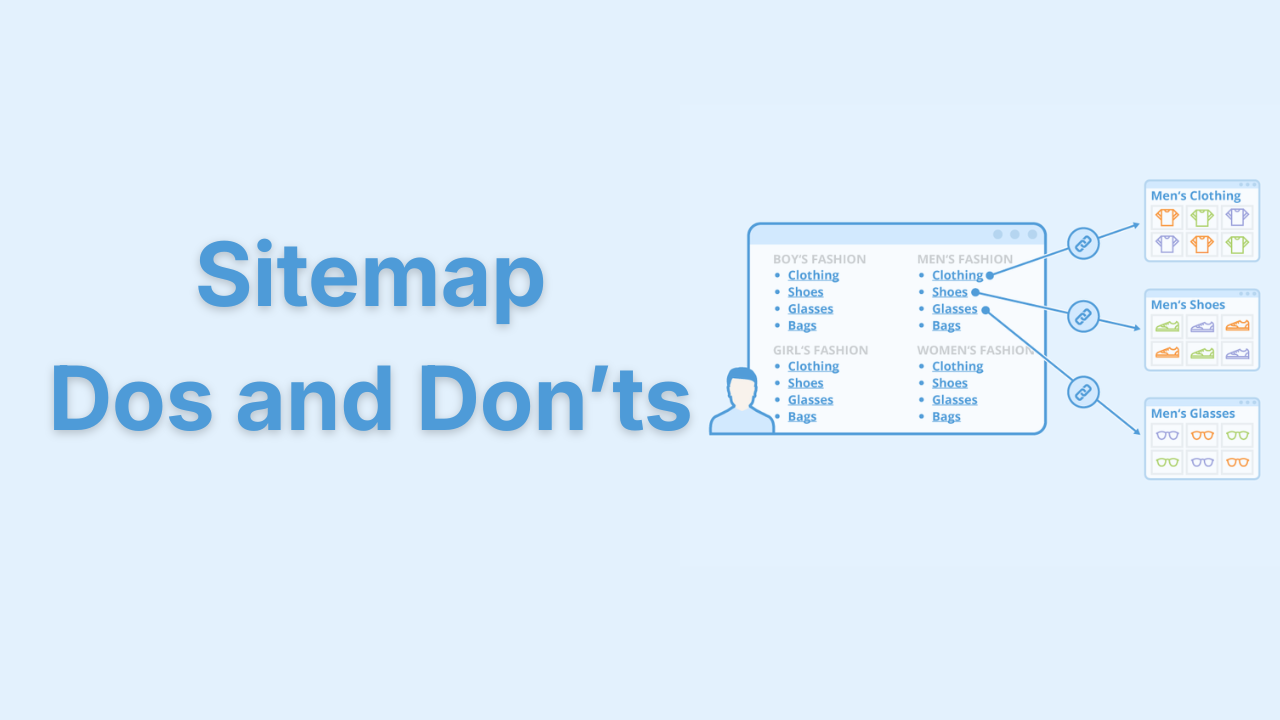
An HTML sitemap is a page on your website that lists links to other pages, organised in a way humans can navigate. Think of it as a table of contents.
Most modern websites don’t need HTML sitemaps. Navigation menus, footer links and internal linking handle discoverability just fine. But for large sites with hundreds or thousands of pages, universities, government portals, sprawling ecommerce catalogues, an HTML sitemap can improve user experience and help search engines discover orphaned pages.
The distinction matters because businesses often confuse the two. They build a nice-looking HTML sitemap for users and assume it helps SEO. It doesn’t, at least not in the way an XML sitemap does. Google doesn’t crawl your HTML sitemap and treat it differently from any other page. It’s just another link hub.
When a Sitemap Actually Matters
Not every website needs a sitemap. A five-page brochure site with clear internal linking? Google will index it fine without one. But there are scenarios where a sitemap shifts from “nice to have” to “operationally necessary.”
Large Websites with Deep Architecture
If your site has thousands of pages and some are buried four or five clicks from the homepage, Google might not crawl them regularly. A sitemap ensures important pages don’t get missed simply because they’re structurally distant from high-authority pages.
E-commerce sites face this constantly. Product pages deep in category hierarchies or seasonal collections that aren’t linked from the homepage can go uncrawled for weeks. A well-structured sitemap prioritises them.
New Websites with Minimal Backlinks
Brand-new websites have no external links pointing to them. Google discovers most pages by following links from other sites. If no one’s linking to you, crawlers have no entry point. Submitting a sitemap gives Google a direct list of pages to crawl, bypassing the need for external discovery.
This is why a digital marketing agency launching a new client site will always submit a sitemap immediately. It’s not a ranking hack. It’s just efficient.
Sites That Publish Content Frequently
News sites, blogs and content hubs publish new pages daily or weekly. Without a sitemap, Google might not discover new content quickly enough. A sitemap with accurate <lastmod> timestamps tells crawlers, “This page is new. Prioritise it.”
Google doesn’t guarantee it’ll crawl new pages immediately, but it’s far more likely to do so if the sitemap explicitly flags them.
Sites with Poor Internal Linking
If your internal linking is weak—pages with no inbound links, confusing navigation, orphaned URLs—a sitemap becomes a crutch. It won’t fix the underlying problem, but it’ll stop important pages from disappearing entirely.
This is a band-aid, not a solution. The better move is to fix internal linking. But until that happens, a sitemap keeps critical pages visible to search engines.
How to Build a Sitemap That Doesn’t Annoy Search Engines
Most sitemaps are bloated, outdated or structured in ways that waste Google’s crawl budget. Here’s how to avoid that.
Only Include Indexable URLs
Your sitemap should only list pages you want indexed. That means:
- No 404 pages
- No redirected URLs
- No pages blocked by robots.txt
- No duplicate content or parameter-heavy URLs
- No pages with noindex tags
Every time Google crawls a URL in your sitemap that shouldn’t be there, it wastes crawl budget. For small sites, this doesn’t matter. For large sites, it’s the difference between important pages getting crawled weekly or monthly.
Prioritise Strategically
Most sitemap generators set every page to priority="0.5" and changefreq="monthly". This makes the metadata meaningless. Google ignores it.
If you’re going to use priority values, be honest. Homepage and key category pages might be 1.0. Product pages might be 0.7. Blog archives might be 0.3. The actual numbers don’t matter as much as the relative hierarchy. If everything’s the same, Google has no signal to prioritise.
Keep It Under 50,000 URLs per File
Google’s sitemap protocol allows up to 50,000 URLs per file and a maximum file size of 50MB. If your site exceeds that, you need multiple sitemaps organised in a sitemap index file.
Large sites should break sitemaps into logical segments: one for products, one for blog posts, and one for category pages. This makes troubleshooting easier and gives Google clearer signals about content type.
Update Regularly
A sitemap that hasn’t been updated in two years is worse than no sitemap at all. It signals to Google that your site is stagnant or poorly maintained.
If you publish content regularly, your sitemap should regenerate automatically. Most CMS platforms and plugins handle this. If you’re managing it manually, you’re doing it wrong.
The Mistakes That Make Sitemaps Useless
There are specific errors that turn sitemaps from helpful to actively harmful.
Including Non-Canonical URLs
If your site has multiple versions of the same page—http vs https, www vs non-www, parameter variations—your sitemap should only list the canonical version. Including duplicates confuses Google and dilutes crawl efficiency.
This is especially common on e-commerce sites with filter URLs or session IDs. Every variation clogs the sitemap and wastes crawl budget.
Listing Pages That Don’t Exist
Broken links in your sitemap are a red flag. They tell Google your site is poorly maintained. If crawlers encounter repeated 404s from your sitemap, they’ll crawl your site less frequently overall.
Regular audits catch this. Most SEO tools can scan your sitemap and flag dead URLs automatically.
Ignoring Image and Video Sitemaps
If your site relies heavily on images or video content—think media sites, portfolios, ecommerce—a separate image or video sitemap can improve discoverability. Google won’t always find embedded media through standard crawling, especially if it’s loaded dynamically.
These are optional, but for visual-heavy sites, they’re worth implementing.
What This Means for Websites That Want to Rank
The harsh truth is that most websites spend more time obsessing over sitemaps than they do fixing the things that actually prevent ranking.
A sitemap can’t save a site with thin content, poor backlinks or a terrible user experience. It can’t force Google to index pages that don’t deserve it. And it won’t improve rankings for pages that are already indexed but underperforming.
What it can do is ensure that Google sees your best work. If you’re publishing high-quality content regularly, a clean, well-maintained sitemap ensures it gets crawled quickly. If you’re managing a large site with complex architecture, a strategic sitemap prevents important pages from falling through the cracks.
The businesses that rank well aren’t the ones with perfect sitemaps. They’re the ones with strong sites that use sitemaps correctly as part of a broader technical SEO strategy. The sitemap is infrastructure, not strategy. And infrastructure only matters when everything else is already working.
Conclusion
Sitemaps are one of the least glamorous parts of SEO. They don’t drive rankings. They don’t generate traffic. They don’t feel like real progress. But for certain types of websites, large, complex or frequently updated, they’re the scaffolding that keeps everything discoverable.
The mistake most businesses make is treating sitemaps as a magic fix rather than a maintenance task. They generate one, submit it and forget it exists. Meanwhile, it fills with broken links, duplicate URLs and outdated pages, quietly signalling to Google that the site isn’t worth prioritising.
A good sitemap is invisible. It does its job without fanfare. It ensures that when you publish something worth ranking, Google actually sees it. And when your site architecture is too complex for perfect internal linking, it keeps important pages from vanishing into the void.
If your sitemap hasn’t been updated in years, or if you’re not sure whether you even have one, that’s probably fine, assuming your site is small and well-structured. But if you’re managing hundreds or thousands of pages and wondering why Google isn’t indexing them, the sitemap is the first place to look.
It won’t fix everything. But it might stop you from being invisible.
FAQs

The founder and partner of Flora Fountain, Shefali leads the Content and Technology divisions. A one-time engineer who started her career writing front-end code, she took a detour sometime during her 9 years in New York, studied journalism and started writing prose, poetry and sometimes jokes. She now has 15...